
Hi,
I'm going to show you how to add custom tactical signs into the Classic client. To see end result please check https://lucera2.com/threads/tactical-signs-for-monsters.8572/
@Deazer feel free to move this thread to Guides section if you would like.
1. Prepare your assets for the client.
You can find 4 default tactical signs available in the game at `SysTextures.L2UI_CT1.HeadDisplay`. They're named `HeadDisplay_DF_mark_01`, `HeadDisplay_DF_mark_02` etc.
To extract L2UI_CT1.utx you can use `umodel`, but first decrypt it using for example `mxencdec`.
Icons for Action Window (Alt + C) can be found at `SysTextures.Icon.action_i`. They're named `action070`, `action071` etc.
You can extract them same way.
Once you have all your assets, you can create your own .utx package using L2Editor, or put them into original .utx packages. Don't forget to encrypt them back using `mxencdec`.
2. Modify .dat files.
Ideally would be to modify the `ActionName_Classic-eu.dat` to add your custom actions, but it happens that entries added there, do not add them into the Action Window (Alt + C). So I have skipped modifying that file. You can keep original one.
I'm using user commands (the ones used in game by typing `/tacticalsign1`, `/tacticalsign5` etc). You can instead use voiced commands, in this case you need to skip this step completely.
I have added new commands into `CommandName_Classic-eu.dat`. Important `id` is client id, not relevant to us, `action` is the number that is used by server to implement functionality of that command, keep them noted, because we will need them in a moment.
Last part is to modify `SysString_Classic-eu.dat` to add new System Messages, that are used to notify users in game that someone used tactical sign.
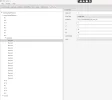
3. Modify `Interface.xdat` file. Here we have to add our new tactical signs into game. Open that file using xdat editor for fafurion (p166). Open `headDisplay` tab, navigate to `headDisplayElements` -> `8` -> `elements`. By default you'll see only 4 `Element` entries, you need to copy and paste them and modify the `reserved` number, this is your tactical sign id, used by the server and `texName` which is path to your head display icon. If you used original .utx files you might just need to change the last number, depending on how you named your new textures.
4. Now you need to modify `Interface.u` to add the new actions. Open up the `ActionWnd.uc` and add `AddCustomAction` function somewhere in the class.
Then find `HandleActionList` function, and head into end of this function. Add the following code:
Right after:
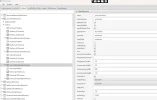
If you see original Action Window in game, you'll see the 4 default tactical signs, and then 4 actions used to target creature, to make it look good, I'm applying 4 new tactical signs right after the 4-armed arrowed icon, so first 8 actions are used to apply tactical sign on creature, and second line 8 elements are used for targeting. I have added 12 new tactical signs and 12 actions for targeting, so in total 24 new actions. That required to increase the size of that `ItemWindow`, and decreasing `Basic` and `Party` sizes and moving them around to match the window size. It all can be done modifying the `ActionWnd` in `Interface.xdat`.
Last part is to modify the `OnClickItem` function inside `ActionWnd.uc`. Find that function, and right before `DoAction(...)` function add:
This piece of code will make sure that new tactical signs actions from `Action Window` will trigger usage of user command `/tacticalsign5`, `/targettacticalsign7` etc.
5. Now the last part is to create custom server extension. Main extension file:
See the provided thread at the beginning of this guide, to see what is `Party.registerTacticalSign` function.
And the `UserTacticalSign.java` file:
Congratulations! You have successfully implemented custom tactical signs into your client.
I'm going to show you how to add custom tactical signs into the Classic client. To see end result please check https://lucera2.com/threads/tactical-signs-for-monsters.8572/
@Deazer feel free to move this thread to Guides section if you would like.
1. Prepare your assets for the client.
You can find 4 default tactical signs available in the game at `SysTextures.L2UI_CT1.HeadDisplay`. They're named `HeadDisplay_DF_mark_01`, `HeadDisplay_DF_mark_02` etc.
To extract L2UI_CT1.utx you can use `umodel`, but first decrypt it using for example `mxencdec`.
Icons for Action Window (Alt + C) can be found at `SysTextures.Icon.action_i`. They're named `action070`, `action071` etc.
You can extract them same way.
Once you have all your assets, you can create your own .utx package using L2Editor, or put them into original .utx packages. Don't forget to encrypt them back using `mxencdec`.
2. Modify .dat files.
Ideally would be to modify the `ActionName_Classic-eu.dat` to add your custom actions, but it happens that entries added there, do not add them into the Action Window (Alt + C). So I have skipped modifying that file. You can keep original one.
I'm using user commands (the ones used in game by typing `/tacticalsign1`, `/tacticalsign5` etc). You can instead use voiced commands, in this case you need to skip this step completely.
I have added new commands into `CommandName_Classic-eu.dat`. Important `id` is client id, not relevant to us, `action` is the number that is used by server to implement functionality of that command, keep them noted, because we will need them in a moment.
Code:
cmd_begin    id=2000    action=2000    cmd=[tacticalsign5]    cmd_end
cmd_begin    id=2001    action=2001    cmd=[tacticalsign6]    cmd_end
cmd_begin    id=2002    action=2002    cmd=[tacticalsign7]    cmd_end
cmd_begin    id=2003    action=2003    cmd=[tacticalsign8]    cmd_end
cmd_begin    id=2004    action=2004    cmd=[tacticalsign9]    cmd_end
cmd_begin    id=2005    action=2005    cmd=[tacticalsign10]    cmd_end
cmd_begin    id=2006    action=2006    cmd=[tacticalsign11]    cmd_end
cmd_begin    id=2007    action=2007    cmd=[tacticalsign12]    cmd_end
cmd_begin    id=2008    action=2008    cmd=[tacticalsign13]    cmd_end
cmd_begin    id=2009    action=2009    cmd=[tacticalsign14]    cmd_end
cmd_begin    id=2010    action=2010    cmd=[tacticalsign15]    cmd_end
cmd_begin    id=2011    action=2011    cmd=[tacticalsign16]    cmd_end
cmd_begin    id=2012    action=2012    cmd=[targettacticalsign5]    cmd_end
cmd_begin    id=2013    action=2013    cmd=[targettacticalsign6]    cmd_end
cmd_begin    id=2014    action=2014    cmd=[targettacticalsign7]    cmd_end
cmd_begin    id=2015    action=2015    cmd=[targettacticalsign8]    cmd_end
cmd_begin    id=2016    action=2016    cmd=[targettacticalsign9]    cmd_end
cmd_begin    id=2017    action=2017    cmd=[targettacticalsign10]    cmd_end
cmd_begin    id=2018    action=2018    cmd=[targettacticalsign11]    cmd_end
cmd_begin    id=2019    action=2019    cmd=[targettacticalsign12]    cmd_end
cmd_begin    id=2020    action=2020    cmd=[targettacticalsign13]    cmd_end
cmd_begin    id=2021    action=2021    cmd=[targettacticalsign14]    cmd_end
cmd_begin    id=2022    action=2022    cmd=[targettacticalsign15]    cmd_end
cmd_begin    id=2023    action=2023    cmd=[targettacticalsign16]    cmd_end
Last part is to modify `SysString_Classic-eu.dat` to add new System Messages, that are used to notify users in game that someone used tactical sign.
Code:
string_begin    stringID=8000    string=[Token 5 (Circle)]    string_end
string_begin    stringID=8001    string=[Token 6 (Square)]    string_end
string_begin    stringID=8002    string=[Token 7 (Lightning)]    string_end
string_begin    stringID=8003    string=[Token 8 (Triangle)]    string_end
string_begin    stringID=8004    string=[Token 9 (Number 1)]    string_end
string_begin    stringID=8005    string=[Token 10 (Number 2)]    string_end
string_begin    stringID=8006    string=[Token 11 (Number 3)]    string_end
string_begin    stringID=8007    string=[Token 12 (Number 4)]    string_end
string_begin    stringID=8008    string=[Token 13 (Number 5)]    string_end
string_begin    stringID=8009    string=[Token 14 (Number 6)]    string_end
string_begin    stringID=8010    string=[Token 15 (Number 7)]    string_end
string_begin    stringID=8011    string=[Token 16 (Number 8)]    string_end
3. Modify `Interface.xdat` file. Here we have to add our new tactical signs into game. Open that file using xdat editor for fafurion (p166). Open `headDisplay` tab, navigate to `headDisplayElements` -> `8` -> `elements`. By default you'll see only 4 `Element` entries, you need to copy and paste them and modify the `reserved` number, this is your tactical sign id, used by the server and `texName` which is path to your head display icon. If you used original .utx files you might just need to change the last number, depending on how you named your new textures.
4. Now you need to modify `Interface.u` to add the new actions. Open up the `ActionWnd.uc` and add `AddCustomAction` function somewhere in the class.
Code:
function AddCustomAction(int id, string WndName, string actionName, string iconName, string iconNameEx1, string description, string command)
{
    local ItemInfo    infItem;

    infItem.ID.classID = id;
    infItem.Name = actionName;
    infItem.IconName = iconName;
    infItem.IconNameEx1 = iconNameEx1;
    infItem.Description = description;
    infItem.ShortcutType = int(EShortCutItemType.SCIT_ACTION);
    infItem.MacroCommand = command;

    class'UIAPI_ITEMWINDOW'.Static.AddItem("ActionWnd."$WndName, infItem);
}
Then find `HandleActionList` function, and head into end of this function. Add the following code:
Code:
if( infItem.ID.classID == 81 )
    {
        AddCustomAction(2000, WndName, "Use of Token 5", "icon.action2000", "", "Applies Token 5 to the target. Can be only used in a group.\\n\\n(Command: /tacticalsign5)", "/tacticalsign5");
        AddCustomAction(2001, WndName, "Use of Token 6", "icon.action2001", "", "Applies Token 6 to the target. Can be only used in a group.\\n\\n(Command: /tacticalsign6)", "/tacticalsign6");
        AddCustomAction(2002, WndName, "Use of Token 7", "icon.action2002", "", "Applies Token 7 to the target. Can be only used in a group.\\n\\n(Command: /tacticalsign7)", "/tacticalsign7");
        AddCustomAction(2003, WndName, "Use of Token 8", "icon.action2003", "", "Applies Token 8 to the target. Can be only used in a group.\\n\\n(Command: /tacticalsign8)", "/tacticalsign8");
    }

    if( infItem.ID.classID == 85 )
    {
        AddCustomAction(2004, WndName, "Target by Token 5", "icon.action2004", "", "Automatically focuses on the target marked with Token 5. Can be only used in a group.\n\n(Command: /targettacticalsign5)", "/targettacticalsign5");
        AddCustomAction(2005, WndName, "Target by Token 6", "icon.action2005", "", "Automatically focuses on the target marked with Token 6. Can be only used in a group.\n\n(Command: /targettacticalsign6)", "/targettacticalsign6");
        AddCustomAction(2006, WndName, "Target by Token 7", "icon.action2006", "", "Automatically focuses on the target marked with Token 7. Can be only used in a group.\n\n(Command: /targettacticalsign7)", "/targettacticalsign7");
        AddCustomAction(2007, WndName, "Target by Token 8", "icon.action2007", "", "Automatically focuses on the target marked with Token 8. Can be only used in a group.\n\n(Command: /targettacticalsign8)", "/targettacticalsign8");

        AddCustomAction(2008, WndName, "Use of Token 9", "icon.action2008", "", "Applies Token 9 to the target. Can be only used in a group.\\n\\n(Command: /tacticalsign9)", "/tacticalsign9");
        AddCustomAction(2009, WndName, "Use of Token 10", "icon.action2009", "", "Applies Token 10 to the target. Can be only used in a group.\\n\\n(Command: /tacticalsign10)", "/tacticalsign10");
        AddCustomAction(2010, WndName, "Use of Token 11", "icon.action2010", "", "Applies Token 11 to the target. Can be only used in a group.\\n\\n(Command: /tacticalsign11)", "/tacticalsign11");
        AddCustomAction(2011, WndName, "Use of Token 12", "icon.action2011", "", "Applies Token 12 to the target. Can be only used in a group.\\n\\n(Command: /tacticalsign12)", "/tacticalsign12");
        AddCustomAction(2012, WndName, "Use of Token 13", "icon.action2012", "", "Applies Token 13 to the target. Can be only used in a group.\\n\\n(Command: /tacticalsign13)", "/tacticalsign13");
        AddCustomAction(2013, WndName, "Use of Token 14", "icon.action2013", "", "Applies Token 14 to the target. Can be only used in a group.\\n\\n(Command: /tacticalsign14)", "/tacticalsign14");
        AddCustomAction(2014, WndName, "Use of Token 15", "icon.action2014", "", "Applies Token 15 to the target. Can be only used in a group.\\n\\n(Command: /tacticalsign15)", "/tacticalsign15");
        AddCustomAction(2015, WndName, "Use of Token 16", "icon.action2015", "", "Applies Token 16 to the target. Can be only used in a group.\\n\\n(Command: /tacticalsign16)", "/tacticalsign16");

        AddCustomAction(2016, WndName, "Target by Token 9", "icon.action2016", "", "Automatically focuses on the target marked with Token 9. Can be only used in a group.\n\n(Command: /targettacticalsign9)", "/targettacticalsign9");
        AddCustomAction(2017, WndName, "Target by Token 10", "icon.action2017", "", "Automatically focuses on the target marked with Token 10. Can be only used in a group.\n\n(Command: /targettacticalsign10)", "/targettacticalsign10");
        AddCustomAction(2018, WndName, "Target by Token 11", "icon.action2018", "", "Automatically focuses on the target marked with Token 11. Can be only used in a group.\n\n(Command: /targettacticalsign11)", "/targettacticalsign11");
        AddCustomAction(2019, WndName, "Target by Token 12", "icon.action2019", "", "Automatically focuses on the target marked with Token 12. Can be only used in a group.\n\n(Command: /targettacticalsign12)", "/targettacticalsign12");
        AddCustomAction(2020, WndName, "Target by Token 13", "icon.action2020", "", "Automatically focuses on the target marked with Token 13. Can be only used in a group.\n\n(Command: /targettacticalsign13)", "/targettacticalsign13");
        AddCustomAction(2021, WndName, "Target by Token 14", "icon.action2021", "", "Automatically focuses on the target marked with Token 14. Can be only used in a group.\n\n(Command: /targettacticalsign14)", "/targettacticalsign14");
        AddCustomAction(2022, WndName, "Target by Token 15", "icon.action2022", "", "Automatically focuses on the target marked with Token 15. Can be only used in a group.\n\n(Command: /targettacticalsign15)", "/targettacticalsign15");
        AddCustomAction(2023, WndName, "Target by Token 16", "icon.action2023", "", "Automatically focuses on the target marked with Token 16. Can be only used in a group.\n\n(Command: /targettacticalsign16)", "/targettacticalsign16");
    }
Right after:
Code:
class'UIAPI_ITEMWINDOW'.Static.AddItem("ActionWnd."$WndName, infItem);If you see original Action Window in game, you'll see the 4 default tactical signs, and then 4 actions used to target creature, to make it look good, I'm applying 4 new tactical signs right after the 4-armed arrowed icon, so first 8 actions are used to apply tactical sign on creature, and second line 8 elements are used for targeting. I have added 12 new tactical signs and 12 actions for targeting, so in total 24 new actions. That required to increase the size of that `ItemWindow`, and decreasing `Basic` and `Party` sizes and moving them around to match the window size. It all can be done modifying the `ActionWnd` in `Interface.xdat`.
Last part is to modify the `OnClickItem` function inside `ActionWnd.uc`. Find that function, and right before `DoAction(...)` function add:
Code:
if( strID == "ActionMarkItem" )
{
    if( Left( infItem.MacroCommand, 13 ) == "/tacticalsign" )
    {
        ExecuteCommand( infItem.MacroCommand );
        return;
    }
    else if(Left( infItem.MacroCommand, 19 ) == "/targettacticalsign")
    {
        ExecuteCommand( infItem.MacroCommand );
        return;
    }
}
This piece of code will make sure that new tactical signs actions from `Action Window` will trigger usage of user command `/tacticalsign5`, `/targettacticalsign7` etc.
5. Now the last part is to create custom server extension. Main extension file:
Java:
@Override
public void onLoad() {
    System.out.println("TacticalSignExt: onLoad()");

    Party.registerTacticalSign(5, 8000);
    Party.registerTacticalSign(6, 8001);
    Party.registerTacticalSign(7, 8002);
    Party.registerTacticalSign(8, 8003);
    Party.registerTacticalSign(9, 8004);
    Party.registerTacticalSign(10, 8005);
    Party.registerTacticalSign(11, 8006);
    Party.registerTacticalSign(12, 8007);
    Party.registerTacticalSign(13, 8008);
    Party.registerTacticalSign(14, 8009);
    Party.registerTacticalSign(15, 8010);
    Party.registerTacticalSign(16, 8011);

    UserCommandHandler.getInstance().registerUserCommandHandler(new UserTacticalSign());
}
See the provided thread at the beginning of this guide, to see what is `Party.registerTacticalSign` function.
And the `UserTacticalSign.java` file:
Java:
public class UserTacticalSign implements IUserCommandHandler {
    private static final int[] USER_COMMANDS = { 2000, 2001, 2002, 2003, 2004, 2005, 2006, 2007, 2008, 2009, 2010, 2011, 2012, 2013, 2014, 2015, 2016, 2017, 2018, 2019, 2020, 2021, 2022, 2023 };

    @Override
    public int[] getUserCommandList() {
        return USER_COMMANDS;
    }

    @Override
    public boolean useUserCommand(int id, Player player) {
        if (!player.isInParty()) {
            return false;
        }

        int tacticalSignId = 0;

        switch(id) {
        case 2000:
        case 2012:
            tacticalSignId = 5;
            break;

        case 2001:
        case 2013:
            tacticalSignId = 6;
            break;

        case 2002:
        case 2014:
            tacticalSignId = 7;
            break;

        case 2003:
        case 2015:
            tacticalSignId = 8;
            break;

        case 2004:
        case 2016:
            tacticalSignId = 9;
            break;

        case 2005:
        case 2017:
            tacticalSignId = 10;
            break;

        case 2006:
        case 2018:
            tacticalSignId = 11;
            break;

        case 2007:
        case 2019:
            tacticalSignId = 12;
            break;

        case 2008:
        case 2020:
            tacticalSignId = 13;
            break;

        case 2009:
        case 2021:
            tacticalSignId = 14;
            break;

        case 2010:
        case 2022:
            tacticalSignId = 15;
            break;

        case 2011:
        case 2023:
            tacticalSignId = 16;
            break;
        }

        if(tacticalSignId == 0) {
            return false;
        }

        if(id == 2000 || id == 2001 || id == 2002 || id == 2003 || id == 2004 || id == 2005 || id == 2006 || id == 2007|| id == 2008 || id == 2009 || id == 2010 || id == 2011) {
            if (player.getTarget() == null || !player.getTarget().isCreature()) {
                return false;
            }

            if(player.getTarget() instanceof Creature creatureTarget) {
                player.getParty().addTacticalSign(player, tacticalSignId, creatureTarget);
            } else {
                return false;
            }

            return true;
        } else if(id == 2012 || id == 2013 || id == 2014 || id == 2015 || id == 2016 || id == 2017 || id == 2018 || id == 2019 || id == 2020 || id == 2021 || id == 2022 || id == 2023) {
            player.getParty().setTargetBasedOnTacticalSignId(player, tacticalSignId);

            return true;
        }

        return false;
    }
}
Congratulations! You have successfully implemented custom tactical signs into your client.