I wroted a new armor in the L2 Client Editor and entered everything correctly. After that, I pressed Save (Dat) and restarted the client, but nothing changed. It still shows NoItemName. What should I do?

You are using an out of date browser. It may not display this or other websites correctly.
You should upgrade or use an alternative browser.
You should upgrade or use an alternative browser.
Resolved i need help for making item name in client editor
- Thread starter justin3ryu
- Start date

How are you? You need to be more specific so we can help you. Which client are you using, Interlude or Classic?I wroted a new armor in the L2 Client Editor and entered everything correctly. After that, I pressed Save (Dat) and restarted the client, but nothing changed. It still shows NoItemName. What should I do?
interludeHow are you? You need to be more specific so we can help you. Which client are you using, Interlude or Classic?
How are you? You need to be more specific so we can help you. Which client are you using, Interlude or Classic?
data/items/idios set
<armor id="9306" name="Idios Leather" add_name="[Light]">
<set name="crystal_count" value="870"/>
<set name="crystal_type" value="S"/>
<set name="crystallizable" value="true"/>
<set name="icon" value="Armor_icon.armor_t702_u_i00"/>
<set name="price" value="17400000"/>
<set name="type" value="LIGHT"/>
<set name="weight" value="4950"/>
<equip>
<slot id="CHEST"/>
</equip>
<for>
<add stat="pDef" order="0x10" value="249"/>
<enchant stat="pDef" order="0x0C" value="0"/>
</for>
</armor>
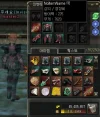
it shows NoItemName inside of game and no dsecriptions at all, even I added new line in client itemname.dat
Attachments
There are a few steps you need to follow to add a custom item to your server:data/items/idios set
<armor id="9306" name="Idios Leather" add_name="[Light]">
<set name="crystal_count" value="870"/>
<set name="crystal_type" value="S"/>
<set name="crystallizable" value="true"/>
<set name="icon" value="Armor_icon.armor_t702_u_i00"/>
<set name="price" value="17400000"/>
<set name="type" value="LIGHT"/>
<set name="weight" value="4950"/>
<equip>
<slot id="CHEST"/>
</equip>
<for>
<add stat="pDef" order="0x10" value="249"/>
<enchant stat="pDef" order="0x0C" value="0"/>
</for>
</armor>
it shows NoItemName inside of game and no dsecriptions at all, even I added new line in client itemname.dat
First, you must create the item in Gameserver, in "data\items\youcustomxml"
XML:
<?xml version="1.0" encoding="UTF-8"?>
<!DOCTYPE list SYSTEM "item.dtd">
<list>
<armor id="77860" name="Titanium Helmet">
    <!-- [apella_helm] -->
    <set name="crystal_count" value="411"/>
    <set name="crystal_type" value="S"/>
    <set name="crystallizable" value="true"/>
    <set name="icon" value="icon.armor_helmet_i00"/>
    <set name="price" value="5370000"/>
    <set name="type" value="NONE"/>
    <set name="weight" value="570"/>
    <equip>
      <slot id="HEAD"/>
    </equip>
    <for>
      <add stat="pDef" order="0x10" value="87"/>
      <enchant stat="pDef" order="0x0C" value="0"/>
    </for>
  </armor>
</list>You need to create the items in the Interlude client by adding lines to the following files:
“armorgrp.dat” and “itemname-e.dat.” I recommend using Notepad++ and the old File Edit.
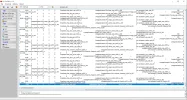
armorgrp.dat
Code:
1 77860 0 3 2 5 0 dropitems.drop_sack_m00 dropitemstex.drop_sack_t00 icon.armor_helmet_i00 4294967295 570 51 1 0 6 1 1 1 1 1 1 1 1 1 1 1 1 1 1 1 1 1 1 1 1 1 1 1 1 1 1 1 1 1 1 1 1 1 1 1 1 1 1 1 1 1 1 1 1 1 1 1 1 1 1 1 1 1 1 1 1 0 0 0 0 1 1 LineageEffect.p_u002_a 1 ItemSound.itemdrop_armor_cloth ItemSound.itemequip_armor_helmet 1 0 0 5 0 87 0 0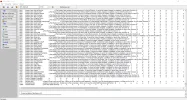 itemname-e.dat
Code:
77860 Titanium Helmet a,Part from Titanium Armors\0 -1 a, a, a, a, 0 0 0 a,Please note: always leave a blank line at the end of the file, otherwise you will not be able to compile.
Attachments
서버에 사용자 정의 항목을 추가하려면 다음 몇 가지 단계를 따라야 합니다.
먼저 Gameserver의 "data\items\youcustomxml"에 아이템을 생성해야 합니다.
[?xml 버전코드="1.0" 진술="UTF-8"?>
<!DOCTYPE 목록 시스템 "item.dtd">
<목록>
<armor id="77860" name="티타늄 위상">
<!-- [아펠라_헬름] -->
<세트 이름="크리스탈_카운트" 값="411"/>
<set name="crystal_type" value="S"/>
<set name="crystallizable" value="true"/>
<set name="아이콘" 값="아이콘.armor_helmet_i00"/>
<세트 이름="" 값 값="5370000"/>
<set name="type" value="없음"/>
<세트 이름="무게" 값="570"/>
<장비>
<슬롯 ID="HEAD"/>
</장비>
<을>
< 추가stat="pDef" order="0x10" value="87"/>
<enchant stat="pDef" order="0x0C" value="0"/>
</for>
</갑옷>
</list>[/코드]
이제 클라이언트에서 파일을 사용하세요. Interlude 버전에서는 이전 파일 편집을 선호합니다. 문서에서 파일 편집을 제공하는 것은 Weapongrp.dat 파일을 복사할 때 모든 단일 무기가 단일 검으로 표시되기 때문에 발생할 수 있습니다. 자, 이제부터 시작해서?
다음 파일에 줄을 추가하여 Interlude 클라이언트 항목을 사용하도록 요청합니다.
"armorgrp.dat"와 "itemname-e.dat"를 사용합니다. Notepad++ 와 원래의 파일 편집 도구를 사용하는 것이 좋습니다 .
View attachment 6808
armorgrp.dat
[코드]1 77860 0 3 2 5 0 dropitems.drop_sack_m00 dropitemstex.drop_sack_t00 icon.armor_helmet_i00 4294967295 570 51 1 0 6 1 ...0 0 0 0 1 1 LineageEffect.p_u002_a 1 ItemSound.itemdrop_armor_cloth ItemSound.itemequip_armor_helmet 1 0 0 5 0 87 0 0
[/암호]
View attachment 6807itemname-e.datCode:77860 우주 비행사 a, 우주 독립 부품\0 -1 a, a, a, a, 0 0 0 a,
i don`t get it. I did what you told. its not working. maybe because data/item i didnt put folder number?참고 사항: 파일 바인더는 항상 빈 줄을 남겨두세요. 그렇지 않으면 할 수 없습니다.
There are a few steps you need to follow to add a custom item to your server:
First, you must create the item in Gameserver, in "data\items\youcustomxml"
Now you need to create the files on the client. In the Interlude version, I prefer to use the old fileedit, since the one available here on the forum causes an error when compiling weapongrp.dat, and all Duals become single swords in appearance. But let's get down to business:XML:<?xml version="1.0" encoding="UTF-8"?> <!DOCTYPE list SYSTEM "item.dtd"> <list> <armor id="77860" name="Titanium Helmet"> <!-- [apella_helm] --> <set name="crystal_count" value="411"/> <set name="crystal_type" value="S"/> <set name="crystallizable" value="true"/> <set name="icon" value="icon.armor_helmet_i00"/> <set name="price" value="5370000"/> <set name="type" value="NONE"/> <set name="weight" value="570"/> <equip> <slot id="HEAD"/> </equip> <for> <add stat="pDef" order="0x10" value="87"/> <enchant stat="pDef" order="0x0C" value="0"/> </for> </armor> </list>
You need to create the items in the Interlude client by adding lines to the following files:
“armorgrp.dat” and “itemname-e.dat.” I recommend using Notepad++ and the old File Edit.
View attachment 6808
armorgrp.dat
Code:1 77860 0 3 2 5 0 dropitems.drop_sack_m00 dropitemstex.drop_sack_t00 icon.armor_helmet_i00 4294967295 570 51 1 0 6 1 1 1 1 1 1 1 1 1 1 1 1 1 1 1 1 1 1 1 1 1 1 1 1 1 1 1 1 1 1 1 1 1 1 1 1 1 1 1 1 1 1 1 1 1 1 1 1 1 1 1 1 1 1 1 1 0 0 0 0 1 1 LineageEffect.p_u002_a 1 ItemSound.itemdrop_armor_cloth ItemSound.itemequip_armor_helmet 1 0 0 5 0 87 0 0
View attachment 6807itemname-e.datCode:77860 Titanium Helmet a,Part from Titanium Armors\0 -1 a, a, a, a, 0 0 0 a,
Please note: always leave a blank line at the end of the file, otherwise you will not be able to compile.
item_name_begin id=9306 name=[아이디오스 레더 아머] additionalname=[] description=[] popup=-1 set_ids=[9305,9306,9307,9308,9309] set_bonus_desc=[DEX +3, STR -1 물리공격력 7%, 공속 4%, 크리티컬 3%, 디버프저항 30, 무게한도 증가] set_extra_id=[] set_extra_desc=[] unknown_1=0 unknown_2=0 set_enchant_count=6 set_enchant_effect=[세트 아이템 6이상 강화시 마법 저항 상승, 회피 증가] item_name_end
There are a few steps you need to follow to add a custom item to your server:
First, you must create the item in Gameserver, in "data\items\youcustomxml"
Now you need to create the files on the client. In the Interlude version, I prefer to use the old fileedit, since the one available here on the forum causes an error when compiling weapongrp.dat, and all Duals become single swords in appearance. But let's get down to business:XML:<?xml version="1.0" encoding="UTF-8"?> <!DOCTYPE list SYSTEM "item.dtd"> <list> <armor id="77860" name="Titanium Helmet"> <!-- [apella_helm] --> <set name="crystal_count" value="411"/> <set name="crystal_type" value="S"/> <set name="crystallizable" value="true"/> <set name="icon" value="icon.armor_helmet_i00"/> <set name="price" value="5370000"/> <set name="type" value="NONE"/> <set name="weight" value="570"/> <equip> <slot id="HEAD"/> </equip> <for> <add stat="pDef" order="0x10" value="87"/> <enchant stat="pDef" order="0x0C" value="0"/> </for> </armor> </list>
You need to create the items in the Interlude client by adding lines to the following files:
“armorgrp.dat” and “itemname-e.dat.” I recommend using Notepad++ and the old File Edit.
View attachment 6808
armorgrp.dat
Code:1 77860 0 3 2 5 0 dropitems.drop_sack_m00 dropitemstex.drop_sack_t00 icon.armor_helmet_i00 4294967295 570 51 1 0 6 1 1 1 1 1 1 1 1 1 1 1 1 1 1 1 1 1 1 1 1 1 1 1 1 1 1 1 1 1 1 1 1 1 1 1 1 1 1 1 1 1 1 1 1 1 1 1 1 1 1 1 1 1 1 1 1 0 0 0 0 1 1 LineageEffect.p_u002_a 1 ItemSound.itemdrop_armor_cloth ItemSound.itemequip_armor_helmet 1 0 0 5 0 87 0 0
View attachment 6807itemname-e.datCode:77860 Titanium Helmet a,Part from Titanium Armors\0 -1 a, a, a, a, 0 0 0 a,
Please note: always leave a blank line at the end of the file, otherwise you will not be able to compile.
Attachments

If the item created does not have its grp created correctly, or if any item created above it does not have its grp created correctly, then the error “no-itemname” will be generated.i don`t get it. I did what you told. its not working. maybe because data/item i didnt put folder number?
There are a few steps you need to follow to add a custom item to your server:
First, you must create the item in Gameserver, in "data\items\youcustomxml"
Now you need to create the files on the client. In the Interlude version, I prefer to use the old fileedit, since the one available here on the forum causes an error when compiling weapongrp.dat, and all Duals become single swords in appearance. But let's get down to business:XML:<?xml version="1.0" encoding="UTF-8"?> <!DOCTYPE list SYSTEM "item.dtd"> <list> <armor id="77860" name="Titanium Helmet"> <!-- [apella_helm] --> <set name="crystal_count" value="411"/> <set name="crystal_type" value="S"/> <set name="crystallizable" value="true"/> <set name="icon" value="icon.armor_helmet_i00"/> <set name="price" value="5370000"/> <set name="type" value="NONE"/> <set name="weight" value="570"/> <equip> <slot id="HEAD"/> </equip> <for> <add stat="pDef" order="0x10" value="87"/> <enchant stat="pDef" order="0x0C" value="0"/> </for> </armor> </list>
You need to create the items in the Interlude client by adding lines to the following files:
“armorgrp.dat” and “itemname-e.dat.” I recommend using Notepad++ and the old File Edit.
View attachment 6808
armorgrp.dat
Code:1 77860 0 3 2 5 0 dropitems.drop_sack_m00 dropitemstex.drop_sack_t00 icon.armor_helmet_i00 4294967295 570 51 1 0 6 1 1 1 1 1 1 1 1 1 1 1 1 1 1 1 1 1 1 1 1 1 1 1 1 1 1 1 1 1 1 1 1 1 1 1 1 1 1 1 1 1 1 1 1 1 1 1 1 1 1 1 1 1 1 1 1 0 0 0 0 1 1 LineageEffect.p_u002_a 1 ItemSound.itemdrop_armor_cloth ItemSound.itemequip_armor_helmet 1 0 0 5 0 87 0 0
View attachment 6807itemname-e.datCode:77860 Titanium Helmet a,Part from Titanium Armors\0 -1 a, a, a, a, 0 0 0 a,
Please note: always leave a blank line at the end of the file, otherwise you will not be able to compile.
only item name and description is missing
Attachments
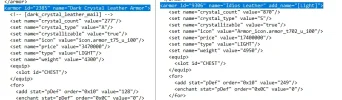
im not sure, maybe because of add name? that is no exist in interlude?If the item created does not have its grp created correctly, or if any item created above it does not have its grp created correctly, then the error “no-itemname” will be generated.
Attachments

No item name shows when the previous ID is missing. For example:
9600 - missing
9601 - correct
9602 - correct
9603 - correct
all of the correct ID's will have no names, till you fix the missing/wrong item. Put the items somewhere UP and test till you find the broken ID.
P.S- Use file editor by Miko > https://github.com/L2Miko/L2FileEdit
9600 - missing
9601 - correct
9602 - correct
9603 - correct
all of the correct ID's will have no names, till you fix the missing/wrong item. Put the items somewhere UP and test till you find the broken ID.
P.S- Use file editor by Miko > https://github.com/L2Miko/L2FileEdit