
Core Files
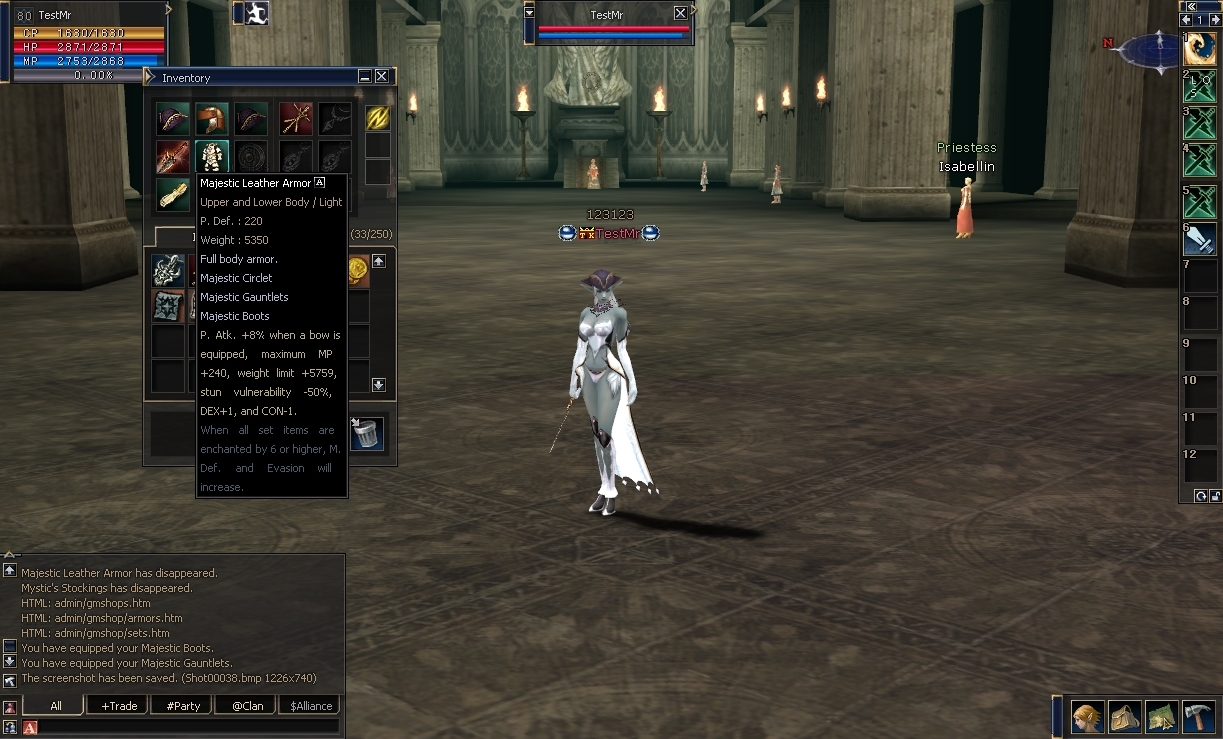
We can also make a set of armor, for example, we take the Draconic Leather Set and the file will look like this:
<?xml version='1.0' encoding='utf-8'?>
<!DOCTYPE list SYSTEM "item_fake_appearance.dtd">
<list enabled="true">
<item itemId="486">
<display itemId="6379"/>
<display itemId="6380"/>
<display itemId="6381"/>
</item>
<item itemId="485">
<display itemId="6408"/>
</item>
</list>
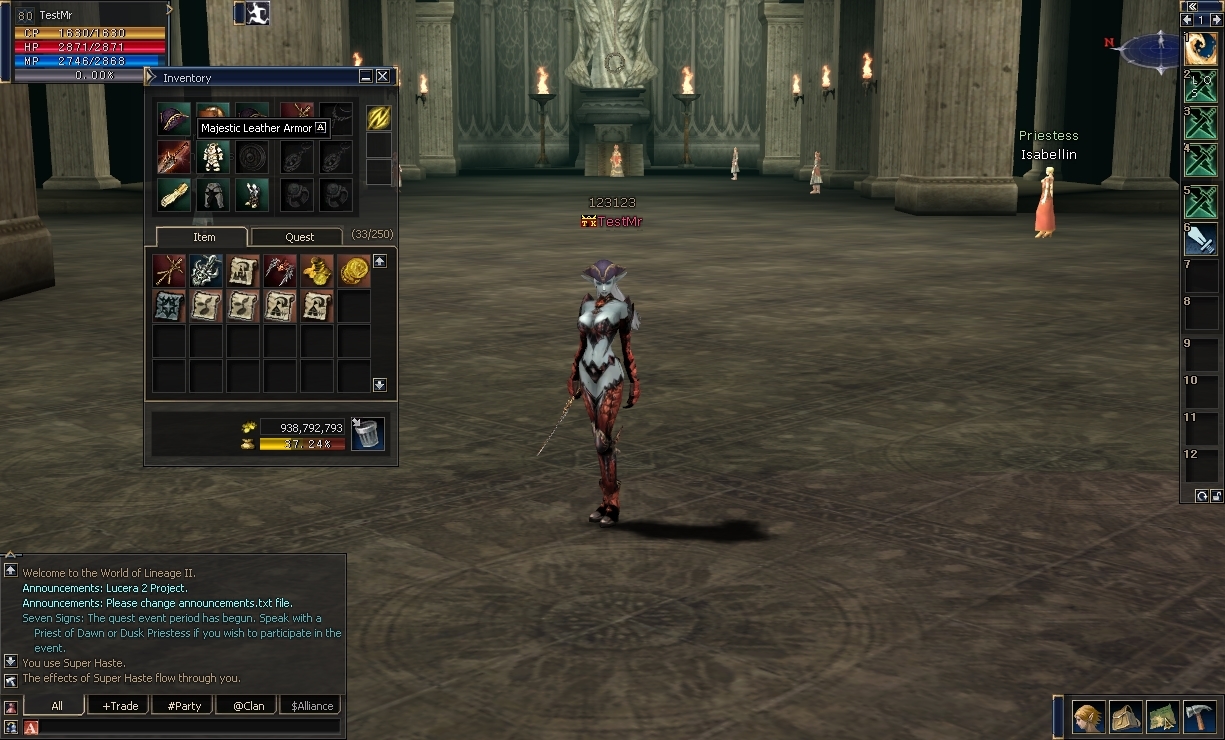
In the game when dressing the item id 486 Tattoo of Fire in the game, we get the following result of changing the appearance:
Bypasses
Examples of bypasses:
Notes
Configuration: data/item_fake_appearance.xml
DTD: data/dtd/item_fake_appearance.dtd
XML Configuration- enabled: true to enable, false to disable.
- item: Element with attributes:
- itemId: Item ID.
- consumeItemId/consumeItemAmount: ID and quantity of item for applying appearance (optional).
- tryOutItemId/tryOutItemAmount: ID and quantity of item for temporary application (optional).
- tryOutTime: Duration of temporary application (in seconds, optional).
- display: Nested element with itemId (ID of item to display).
- Without consumeItemId/tryOutItemId, appearance applies automatically when equipping the item.
- Automatic application on equip:
We can also make a set of armor, for example, we take the Draconic Leather Set and the file will look like this:
<?xml version='1.0' encoding='utf-8'?>
<!DOCTYPE list SYSTEM "item_fake_appearance.dtd">
<list enabled="true">
<item itemId="486">
<display itemId="6379"/>
<display itemId="6380"/>
<display itemId="6381"/>
</item>
<item itemId="485">
<display itemId="6408"/>
</item>
</list>
In the game when dressing the item id 486 Tattoo of Fire in the game, we get the following result of changing the appearance:
- Application via service:
XML:
<list enabled="true">
    <item itemId="485" consumeItemId="57" consumeItemAmount="1000" tryOutItemId="57" tryOutItemAmount="1" tryOutTime="30">
        <display itemId="6408"/>
    </item>
</list>
Bypasses
- Tryout application: bypass -h scripts_services.ItemFakeAppearance:fitting <itemId>
- Example: bypass -h scripts_services.ItemFakeAppearance:fitting 485
- Permanent application: bypass -h scripts_services.ItemFakeAppearance:apply <itemId>
- Example: bypass -h scripts_services.ItemFakeAppearance:apply 485
- Remove appearance: bypass -h scripts_services.ItemFakeAppearance:removeAppearance
Examples of bypasses:
Code:
<button width=100 height=18 action="bypass -h scripts_services.ItemFakeAppearance:fitting 485" back="L2UI_CH3.bigbutton2_down" fore="L2UI_CH3.bigbutton2" value="Fitting">
<button width=100 height=18 action="bypass -h scripts_services.ItemFakeAppearance:apply 485" back="L2UI_CH3.bigbutton2_down" fore="L2UI_CH3.bigbutton2" value="Apply">
<button width=100 height=18 action="bypass -h scripts_services.ItemFakeAppearance:removeAppearance" back="L2UI_CH3.bigbutton2_down" fore="L2UI_CH3.bigbutton2" value="Remove">
Notes
- In bypasses, specify <item itemId=", NOT <display itemId=. I repeat once again for those who watch TikToks! NOT <display itemId=
- The service does not put on the item, it only changes the appearance (templating).
- Check the correctness of the itemId (for service use).
- Permanent use is saved in the @ItemFakeApp_fapv variable.
ATTENTION: DO NOT COMBINE ITEM EQUIPMENT AND SERVICE SYSTEMS. CHOOSE ONE FOR THE SERVER
Last edited:
