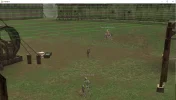
Нет, это только в патче. В ИТ отображается нормально, в классике надо в патче ковырять.если я не ошибаюсь, то нпц нужно добавить кол-во хп и в нпц групп тоже

Нет, это только в патче. В ИТ отображается нормально, в классике надо в патче ковырять.если я не ошибаюсь, то нпц нужно добавить кол-во хп и в нпц групп тоже

This will come in the new update?
Сделал панель для полного менеджмента зон
В ИТ есть единственное НО! Если сделать ТП в другой регион, надо релогать клиент иначе не отображаться разметка визуальная. Почему - без понятия, ни очистка старых координат, ничего не повторный телепорт и тд.
already on repoThis will come in the new update?
Patch=HPShowwhere changes?
flag=noShowHP?
still need to kill to capture.....
so a mage will capture from 900 distance
# Minimum distance to damage a flag
# If the distance is greater, there'll be 0 damage.
CTF_FlagMinAttackDistance = 300


well, is it require so much changes to make it-> reach some distance near it to take flag?Patch=HPShow
Still Need to kill - yes, min damage distance at Configs. You can check it
Code:# Minimum distance to damage a flag # If the distance is greater, there'll be 0 damage. CTF_FlagMinAttackDistance = 300
The previous idea of capturing a player was flawed. It required multiple conditions to be met. This was unlike the simpler flag-capturing approach.well, is it require so much changes to make it-> reach some distance near it to take flag?
для мп тоже уже есть обнова?
Сделал панель для полного менеджмента зон
В ИТ есть единственное НО! Если сделать ТП в другой регион, надо релогать клиент иначе не отображаться разметка визуальная. Почему - без понятия, ни очистка старых координат, ничего не повторный телепорт и тд.
утром сяду и сведу все обновыдля мп тоже уже есть обнова?
Залил все обновыдля мп тоже уже есть обнова?
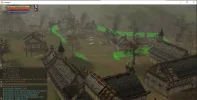
like at data/zones min max Z, you do not need to do nothingWhen the green lines are UP I need to increase the HEIGHT like now is -3420 I need to make it -7000? (to go down to the ground?)
Ok so correct me if Im wrong. The green lines are only just for visual guide. No matter how high/low are they.like at data/zones min max Z, you do not need to do nothing
PTS Zone i don't know why very high. Auto-builder makes +100 - 100 Z = 200 zDiff.
if you see that you need a high zone, increase it in the finished XML itself.
For example, character Z -3000. You need to make zMin -3100 zMax -2900
<zone name="[zone_angory]" type="fun">
     <set name="enabled" val="true" />
    <set name="playerMinLevel" val="78" />
    <set name="playerMaxLevel" val="84" />
    <set name="playerLevelLimitBackLoc" val="43627 189220 -3512" />
    <set name="zoneAllowedItemIds" val="6577;6578;16110;16111;" />
    <polygon>
        <coords loc="-53317 108604 -3828 -3700" />
        <coords loc="-53192 108328 -3820 -3700" />
        <coords loc="-53061 107465 -3820 -3700" />
        <coords loc="-53271 106840 -3820 -3700" />
        <coords loc="-55105 106384 -3820 -3700" />
        <coords loc="-55473 107159 -3804 -3700" />
        <coords loc="-55700 107439 -3820 -3700" />
        <coords loc="-56387 107762 -3796 -3700" />
        <coords loc="-55661 108643 -3828 -3700" />
        <coords loc="-54811 109525 -3788 -3700" />
    </polygon>
</zone>

    <zone name="[zone_angory2]" type="fun">
    <set name="playerMinLevel" val="78" />
    <set name="playerMaxLevel" val="84" />
    <set name="playerLevelLimitBackLoc" val="43627 189220 -3512" />
    <set name="zoneAllowedItemIds" val="6577;6578;16110;" />

    <polygon>
        <coords loc="-53447 108761 -3812 -3612" />
        <coords loc="-53368 108807 -3812 -3612" />
        <coords loc="-52991 109019 -3828 -3628" />
        <coords loc="-52148 109624 -3812 -3612" />
        <coords loc="-51384 110218 -3788 -3588" />
        <coords loc="-51261 110274 -3764 -3564" />
        <coords loc="-50811 110651 -3684 -3484" />
        <coords loc="-50384 110323 -3676 -3476" />
        <coords loc="-50808 109849 -3812 -3612" />
        <coords loc="-49884 108710 -3828 -3628" />
        <coords loc="-50317 107868 -3812 -3612" />
        <coords loc="-51336 108244 -3828 -3628" />
        <coords loc="-53079 107574 -3820 -3620" />
    </polygon>
</zone>